
Download ScriZen SEO Page Auditor
Download the latest public build of ScriZen SEO Page Auditor, review the current system requirements, and install the application on your machine.
Built for users who already have access
Use this page if you already have a valid ScriZen SEO Page Auditor key and need the latest installer for setup, reinstallation, or updates. If you do not have access yet, start from the Free Trial page.
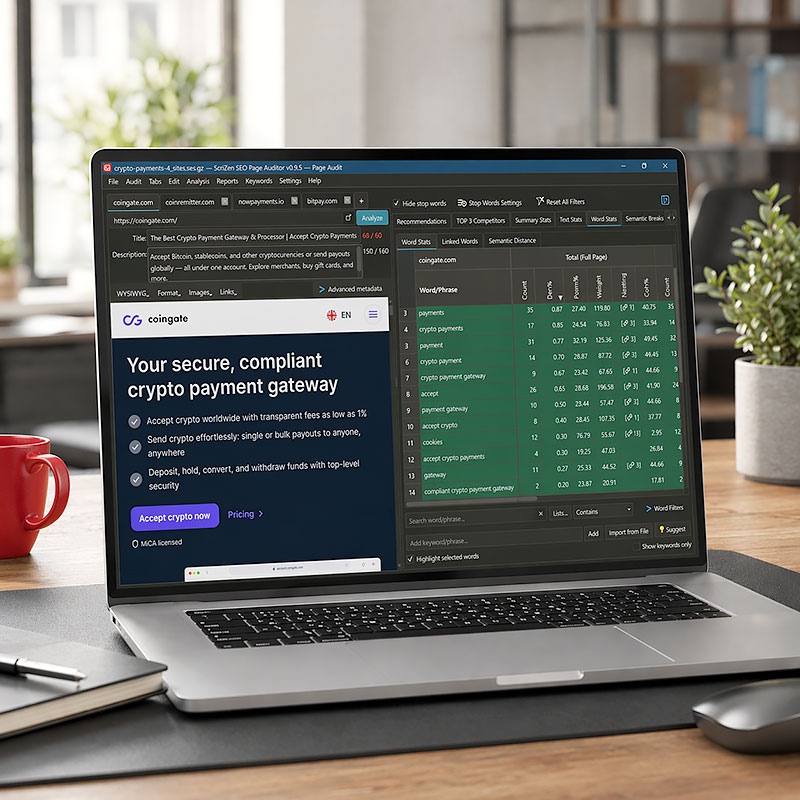
Choose the current installer option
Windows is available now. A macOS version is in active development and will be announced on scrizen.com when it becomes publicly available.
Windows
Download the latest Windows installer for ScriZen SEO Page Auditor.
macOS
The macOS version is currently in development.
What you need before installation
Review the current Windows requirements before downloading and installing the latest public build.
Windows requirements
- 64-bit version of Windows 10 or Windows 11
- A modern desktop or laptop computer with standard local storage available for installation and project files
- An internet connection for activation, license validation, updates, and support access
- Standard user or administrator rights required to install desktop software in your environment
Recommended
- A stable internet connection during setup and activation
- Enough free disk space for the application, logs, and exported reports
- A modern display resolution for comfortable work with complex analytical screens
01.
Download the latest installer
Download the latest Windows installer from this page.
02.
Open the installer
Run the installer and follow the on-screen setup steps.
03.
Launch the application
Open SEO Page Auditor from your Start Menu or desktop shortcut.
04.
Enter your key
Enter your ScriZen SEO Page Auditor key when prompted during first launch.
05.
Run your first audit
Start with a real page you care about and begin working with the full application workflow.
Download, install, and activate the application
Use your existing key during first launch
If you already have a valid ScriZen SEO Page Auditor key, activate it during first launch. If you do not have access yet, start from the Free Trial page or purchase a subscription before installation.
Helpful links
Need trial access?
If you do not have a valid ScriZen SEO Page Auditor key yet, use the Free Trial page to request trial access before installing the application.
What to do if Windows shows an installation warning
Because SEO Page Auditor is a newly released desktop application, Microsoft Defender SmartScreen or third-party antivirus software may occasionally display a warning during installation. This can happen even when the installer is legitimate.
How to proceed safely on Windows
- On the blue SmartScreen dialog, click "More info"
- Confirm that you intended to run the installer you downloaded from scrizen.com
- Click "Run anyway" if you trust the source and want to continue
Security note
SEO Page Auditor is desktop software designed to operate locally on your machine. We do not market it as antivirus-free by claim alone; if you believe your security tooling flagged the installer incorrectly, contact support and we will review the report. Always make sure that you downloaded the installer directly from scrizen.com or from an official link sent by ScriZen.
Download only from official ScriZen sources
Always download SEO Page Auditor only from scrizen.com or from an official link sent by ScriZen.
For managed environments
If your company uses managed endpoints, corporate firewalls, or application control policies, ask your IT team to review the installer before deployment.
Need installation help?
For installation help, open the Troubleshooting guide or contact the Support Desk.
Frequently Asked Questions
Browse through our frequently asked questions to find answers regarding our products and billing processes. Check out our full documentation.
1. Can I use this page if I do not have a license key yet?
No. This page is intended for users who already have a valid ScriZen SEO Page Auditor key. If you need access, start with the Free Trial page or purchase a subscription first.
2. What do I need after downloading the installer?
After installation, you need a valid ScriZen SEO Page Auditor key to activate the application during first launch.
3. Is this the same installer for trial and paid users?
Yes. The installer is the same, but access depends on the key used during activation.
4. What if my subscription has expired?
If your subscription is no longer active, you will need to renew access before the key can be used again.
5. Where should I go if I need trial access instead?
Use the Free Trial page to start a 7-day trial and receive your trial access before installing the application.
Download the installer and activate the application with your existing key
Use this page to install, reinstall, or update ScriZen SEO Page Auditor. If you need access first, start with the Free Trial page.